WordPress plugin for partners · Free
The white-label payments plugin for WordPress.
For agencies, resellers and SaaS platforms that bring merchants. Run your ePayVista partner program from your own WordPress admin, set your own fee on top of our 1%, and give your merchants an application form and a dashboard on your own site.
● Free · Version 1.0.1 · WordPress 6.0+ and PHP 7.4+
Looking for the plugin that takes payments in a WooCommerce store? That is ePayVista Payments.
Inside wp-admin
Your partner dashboard, in WordPress.
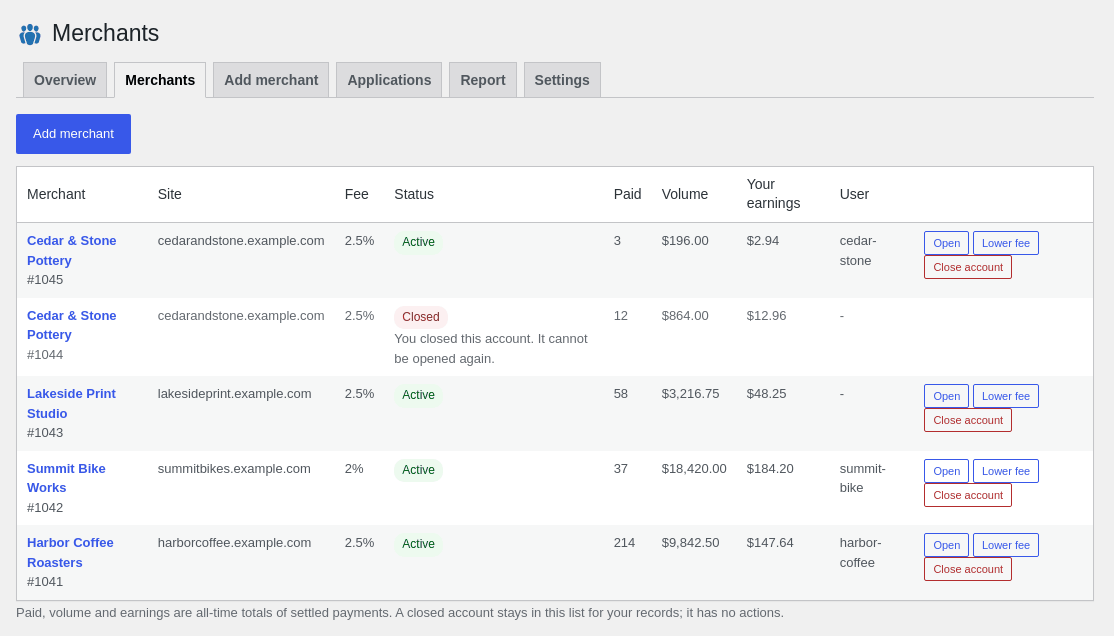
Everything a partner does day to day, without leaving WordPress: your rate, your merchants, a fee per merchant, merchant applications and a monthly report you can download as CSV.
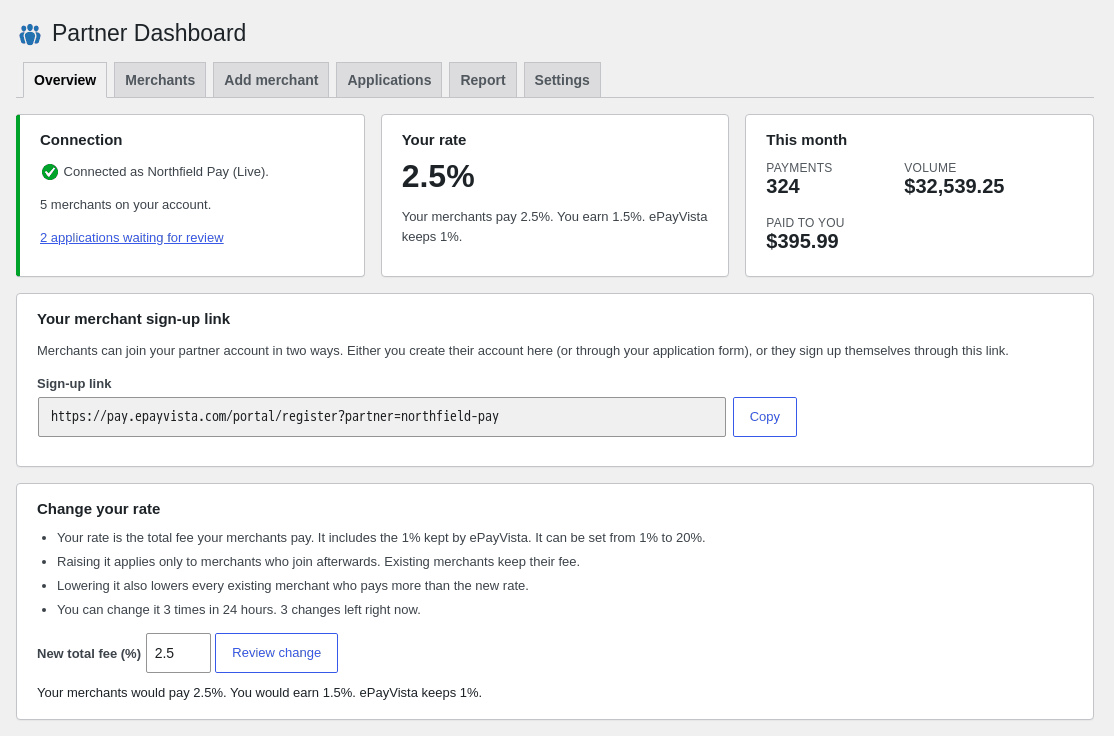
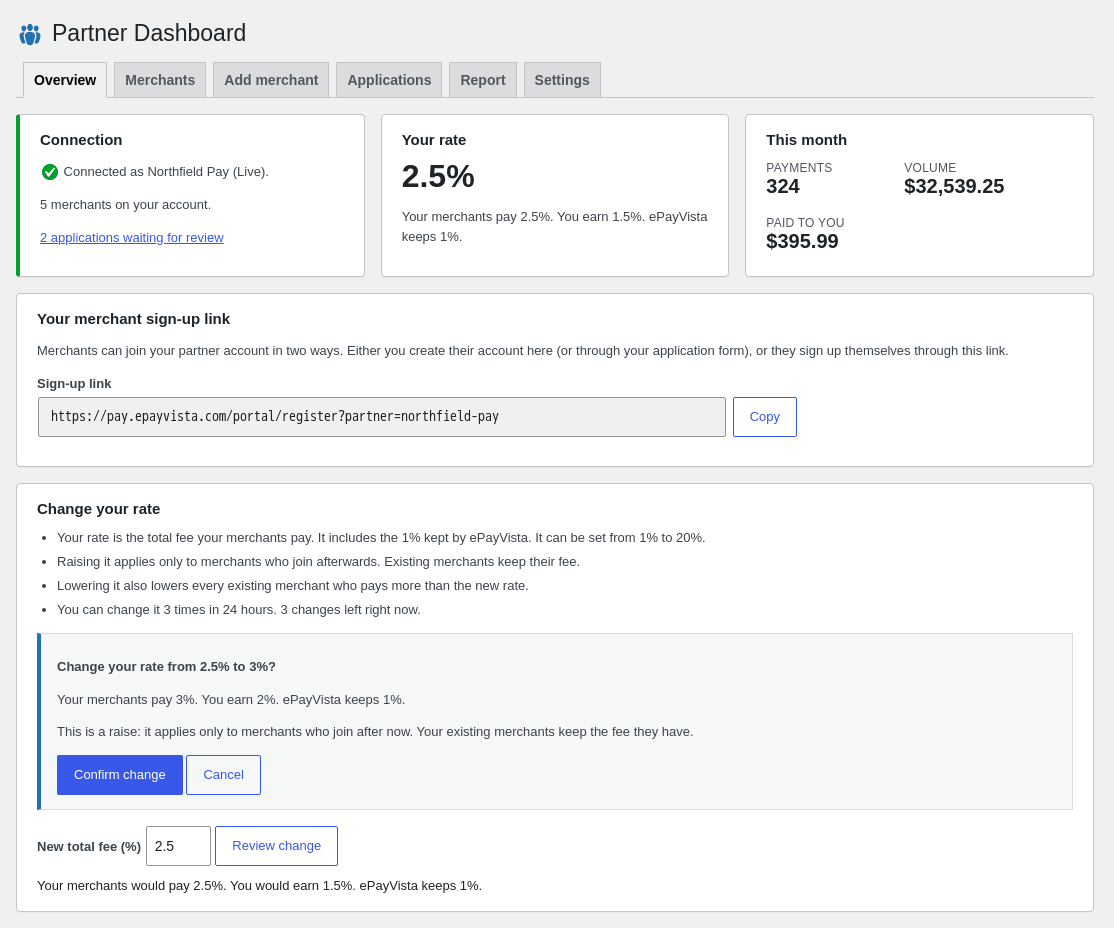
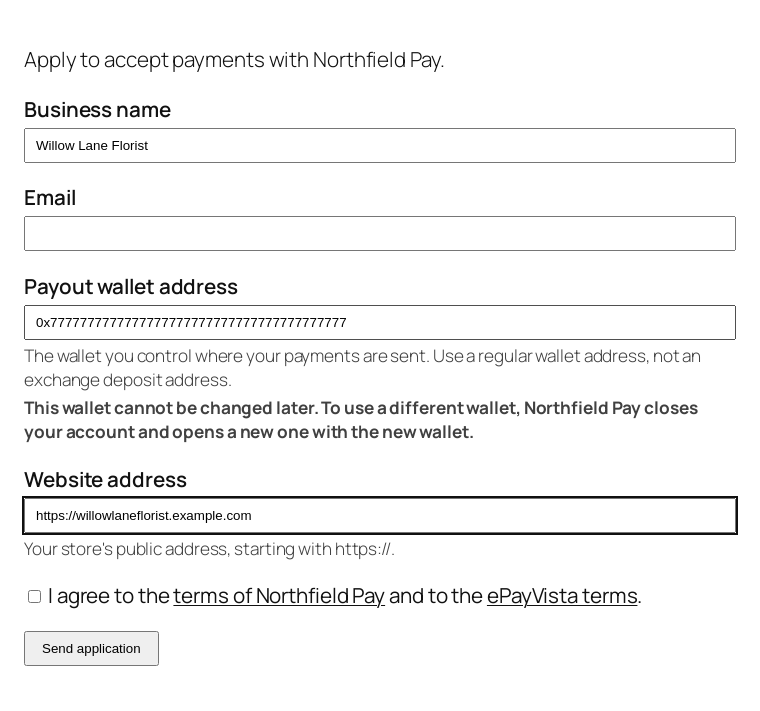
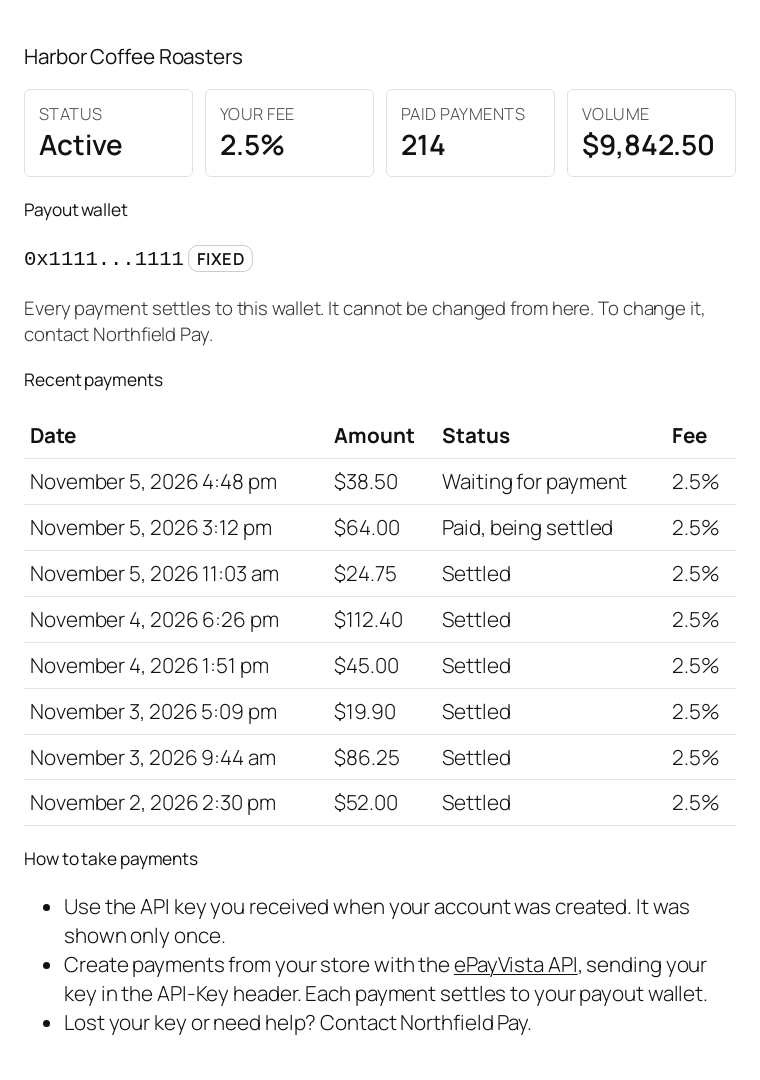
- Rate control with a preview. The split between your share and our 1% is spelled out before you confirm a change.
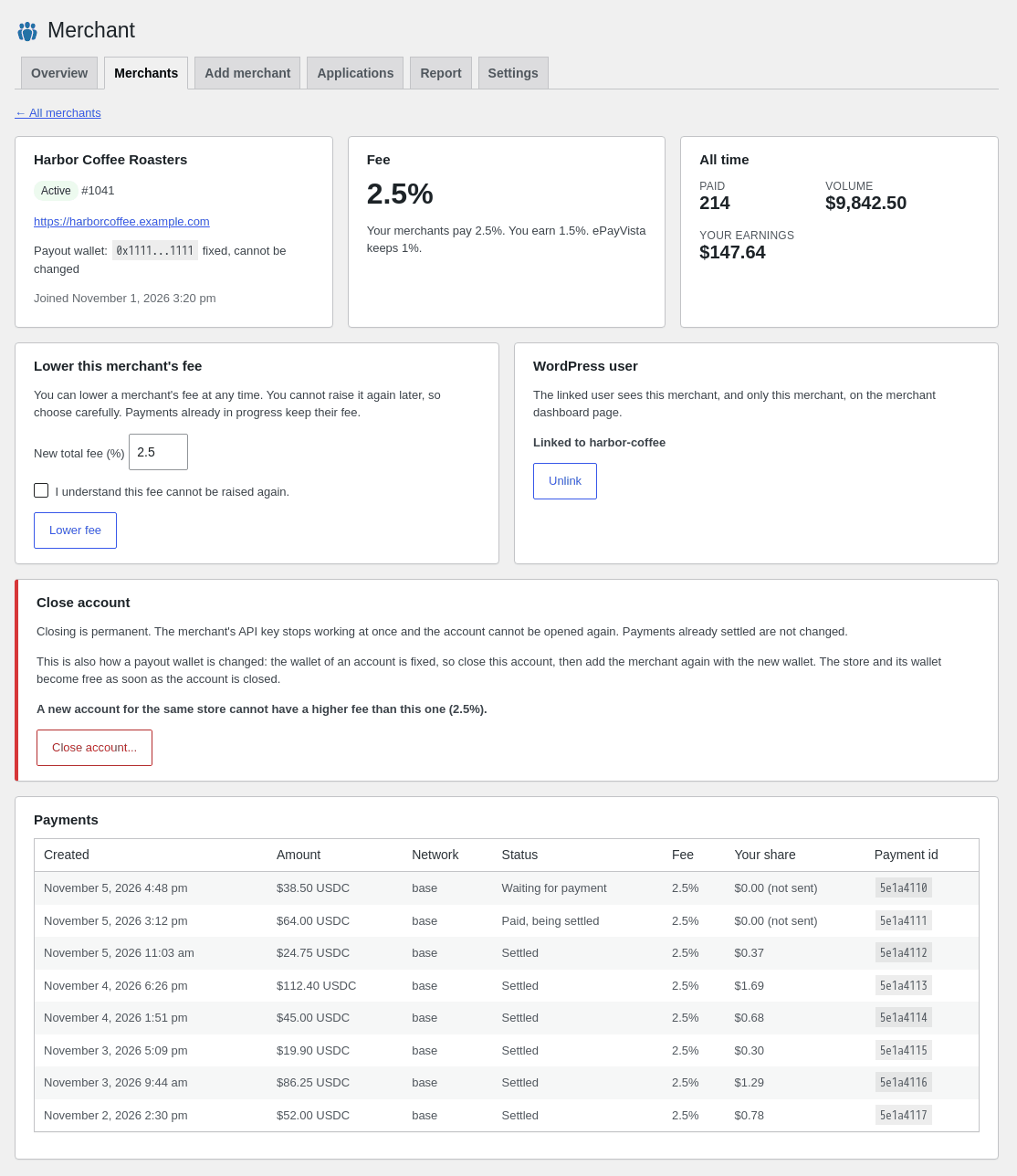
- A fee per merchant. Set one when you add a merchant, or lower it later. It can never be raised for a merchant who already has an account.
- Fixed payout wallets. A merchant you add keeps the wallet it was created with. To use another wallet, close the account and add the merchant again. Closing is permanent, and the new account for the same store cannot have a higher fee than the closed one.
- Your merchant sign-up link. Copy it from the Overview screen. Merchants who sign up through it see your brand and your fee first, and join your partner account.
- Three shortcodes for your site.
[epv_partner_apply]puts a merchant application form on a page,[epv_partner_merchant]gives each merchant a dashboard page and[epv_partner_signup_link]shows your merchant sign-up link. Applications wait for your approval unless you switch on automatic approval in Settings. - Sandbox mode. Run the whole flow on test funds before you switch to Live.
How it works
From signup to your first share.
Open a partner account
Free and self-serve at pay.epayvista.com/portal/partner-signup: your email, a password, your brand name, your payout wallet and the total rate your merchants pay. Then confirm your email.
Create your Partner-Key
In your partner dashboard, under Partner API. The key is shown once, so paste it somewhere safe.
Install and connect
Upload the zip under Plugins → Add New Plugin → Upload Plugin, activate it, then paste the key in Partner Dashboard → Settings and choose Live or Sandbox.
Set your rate
Choose the total your merchants pay, from 1% to 20%. We keep 1% and the rest is your share. You can also give one merchant its own fee.
Bring your merchants
Add a merchant from wp-admin, share your merchant sign-up link, or put the application form shortcode on a page and review the applications. Each merchant can have a dashboard page on your site.
Get paid with every payment
Your merchants take payments through the ePayVista API with their own API key. Each payment settles to the merchant's own wallet, and your share goes to your wallet in that same settlement. Nothing is held for you.
Who it is for.
- Web agencies that want to offer payments to their clients under their own name.
- SaaS platforms, marketplaces and CRMs that want to host their own merchants and set their own processing fee.
- Resellers, consultants and communities with businesses to bring, including high-risk merchants that mainstream processors turn away.
Requirements. WordPress 6.0 or newer and PHP 7.4 or newer on a single WordPress site, a free ePayVista partner account with its Partner-Key, and a payout wallet for your share. Any WordPress site works: WooCommerce is not needed. The merchant application form needs a logged-in WordPress user, so turn on registration in WordPress if new merchants should apply from your site.
The partner program runs under one public set of partner terms, the same for everyone. No contract, no setup fee, no monthly fee.
FAQ
Plugin questions.
Is the Partner Dashboard plugin free?
Do I also need the ePayVista Payments plugin?
Does it need WooCommerce?
Where is my Partner-Key kept?
Can I test it without real money?
How do merchants join my partner account?
[epv_partner_signup_link] shortcode. Merchants who sign up through your link see your brand and your fee first.Where do I download the plugin?
Run the program, not the plumbing.
The plugin is the WordPress side of the ePayVista white-label program: your brand on the checkout, your fee on top of our 1%, your share in every settlement.